Showcase

Every screen,
caught mid-glow.

Tap-tour through Wisp's surfaces. Each screenshot is a real capture from the running app — no mockups, no marketing renders.

Section 01

Authentication

2 screens
Login
LoginGoogle Sign-In via Firebase Auth
Register
screenshot
RegisterSet display name & avatar on first launch
Section 02

Stories

3 screens
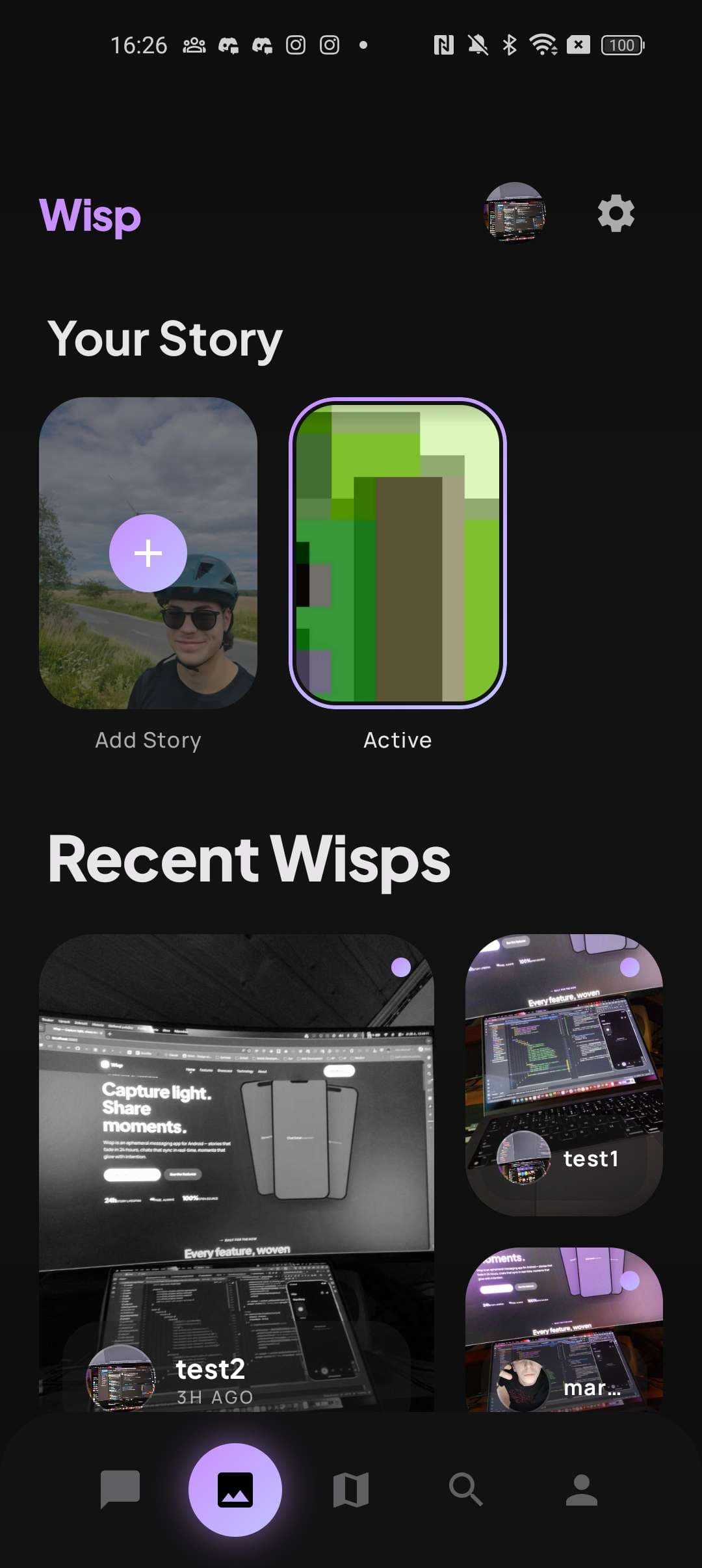
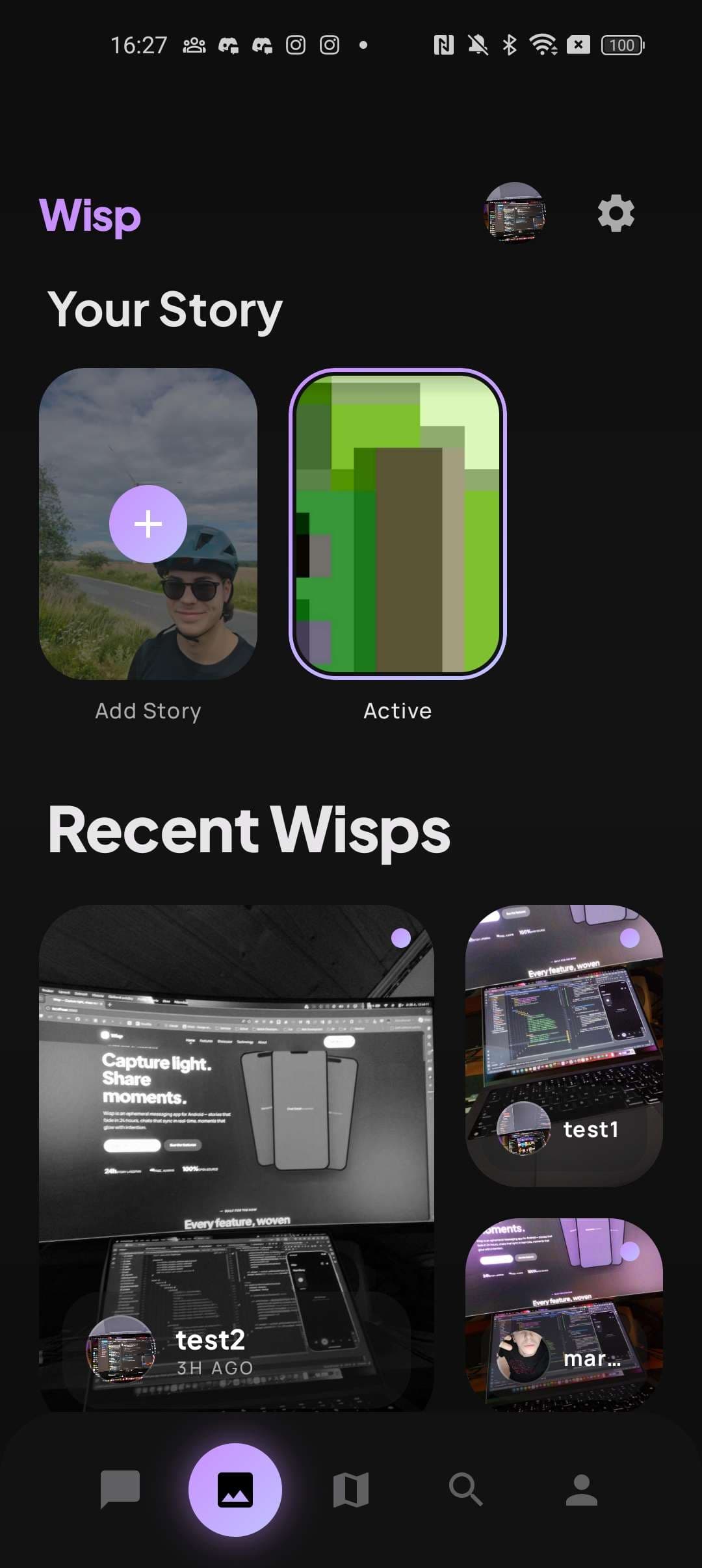
Stories Feed
Stories FeedLive wisps from your friends, sorted by recency
Story Viewer
Story ViewerFullscreen, timed, tap-to-advance
Story Editor
screenshot
Story EditorCaption, tap to post, fade in 24 hours
Section 03

Chat & Messaging

3 screens
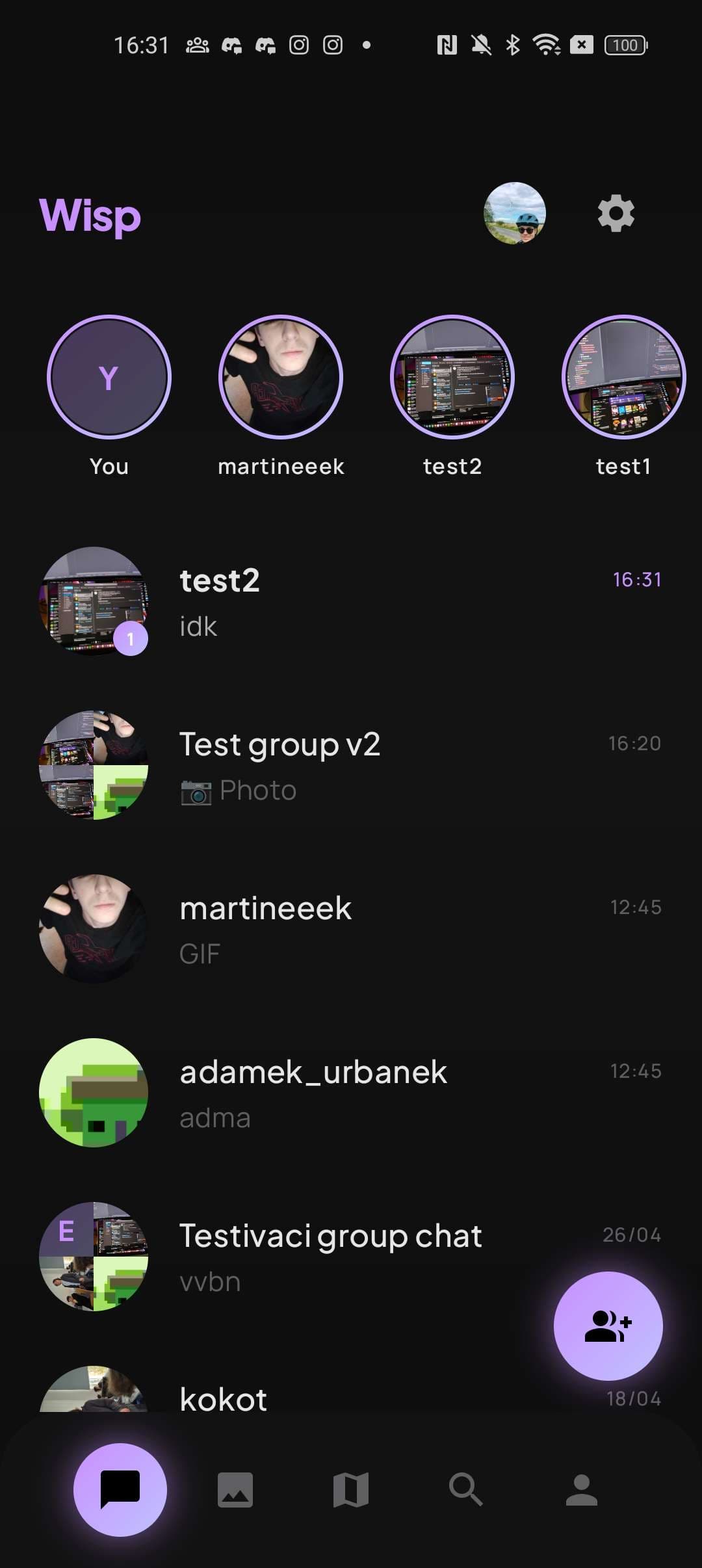
Chat List
screenshot
Chat ListAll conversations with unread counts & previews
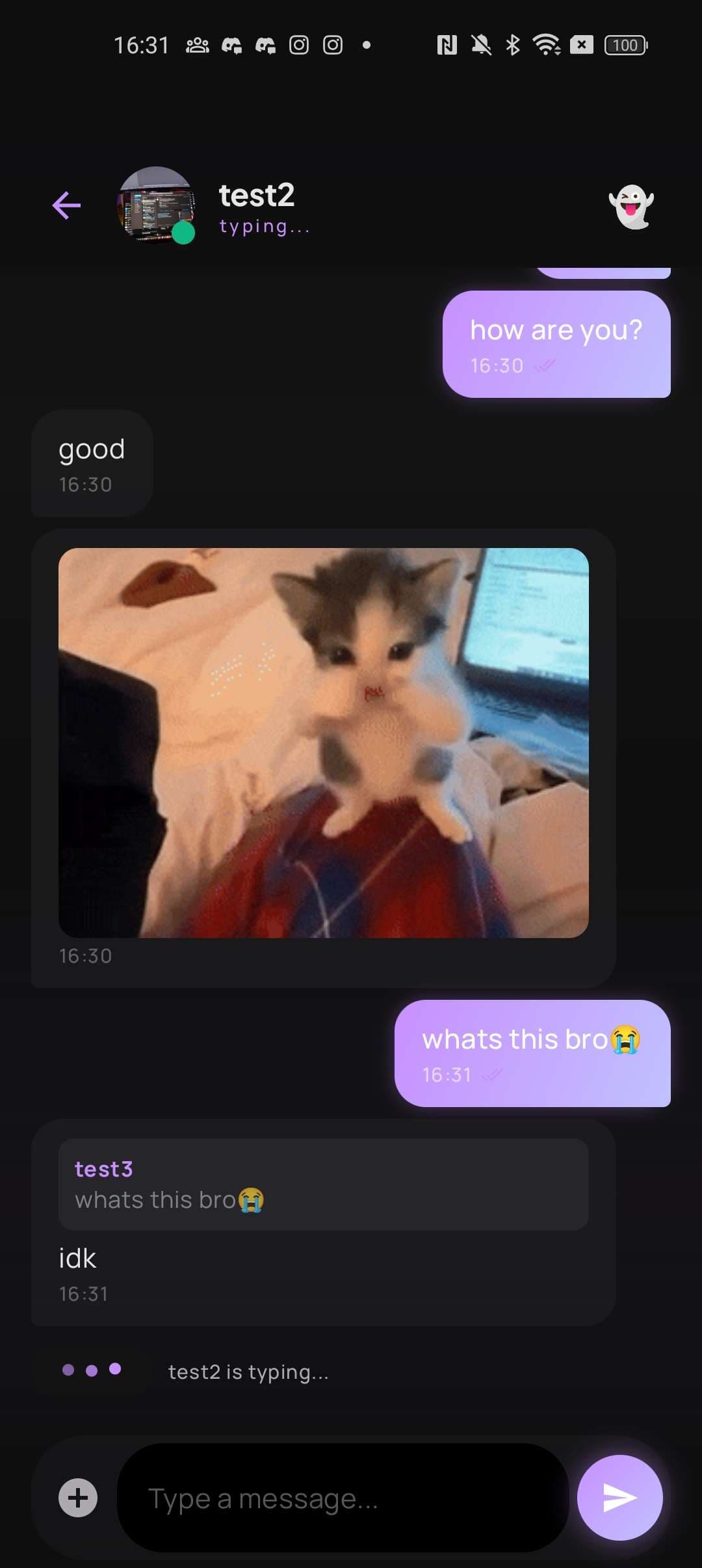
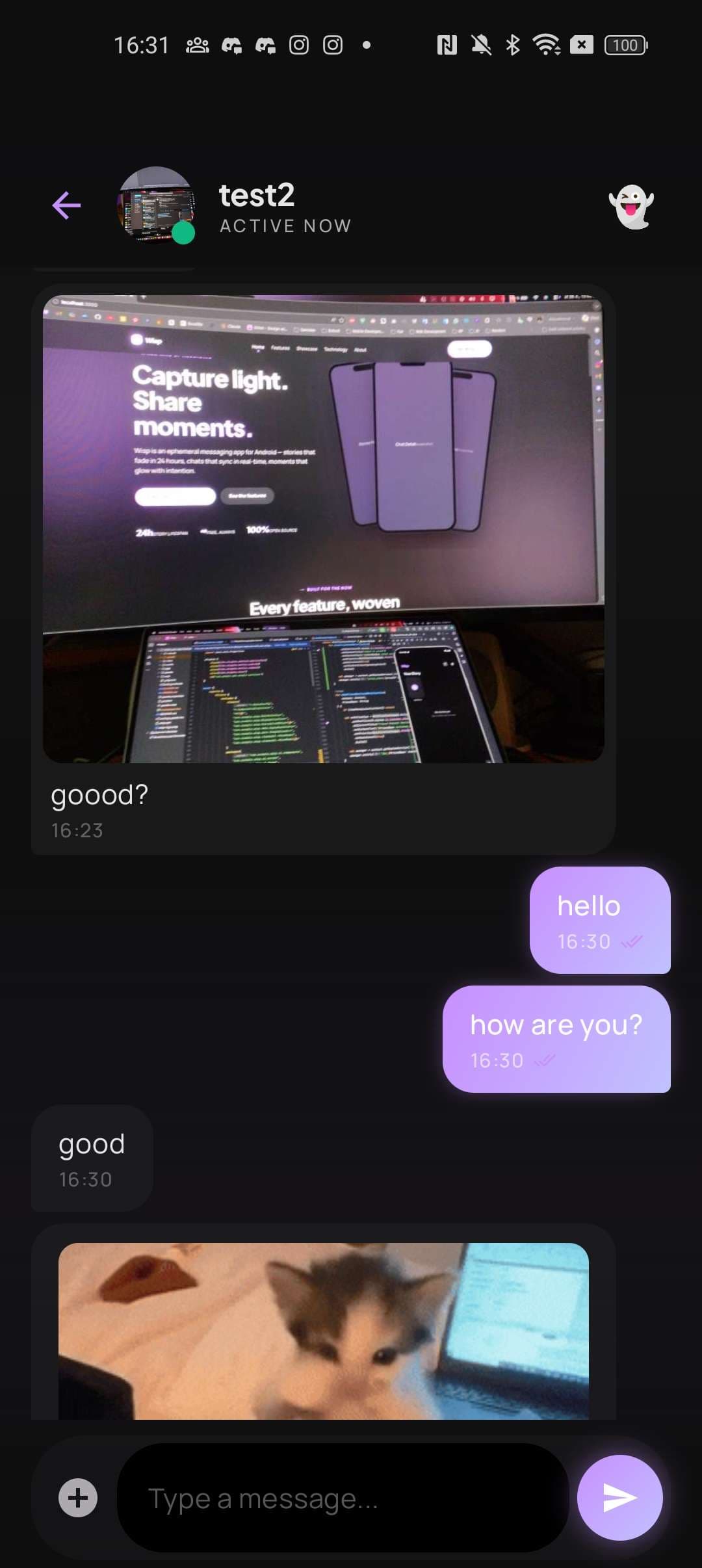
Chat Detail
Chat DetailReal-time bubbles with the signature gradient
Group Info
screenshot
Group InfoMembers, composite avatar, mute toggle
Section 04

Camera

2 screens
Camera Capture
Camera CaptureCameraX preview with flip & flash controls
Preview & Send
Preview & SendRetake, post as story, or send to chat
Section 05

Friends, Groups & Map

3 screens
Add Friend
screenshot
Add FriendUsername search or QR code scan
Create Group
screenshot
Create GroupPick members, name it, glow together
Map
MapSee where wisps were captured (opt-in)
Section 06

Profile, Memories & Settings

3 screens
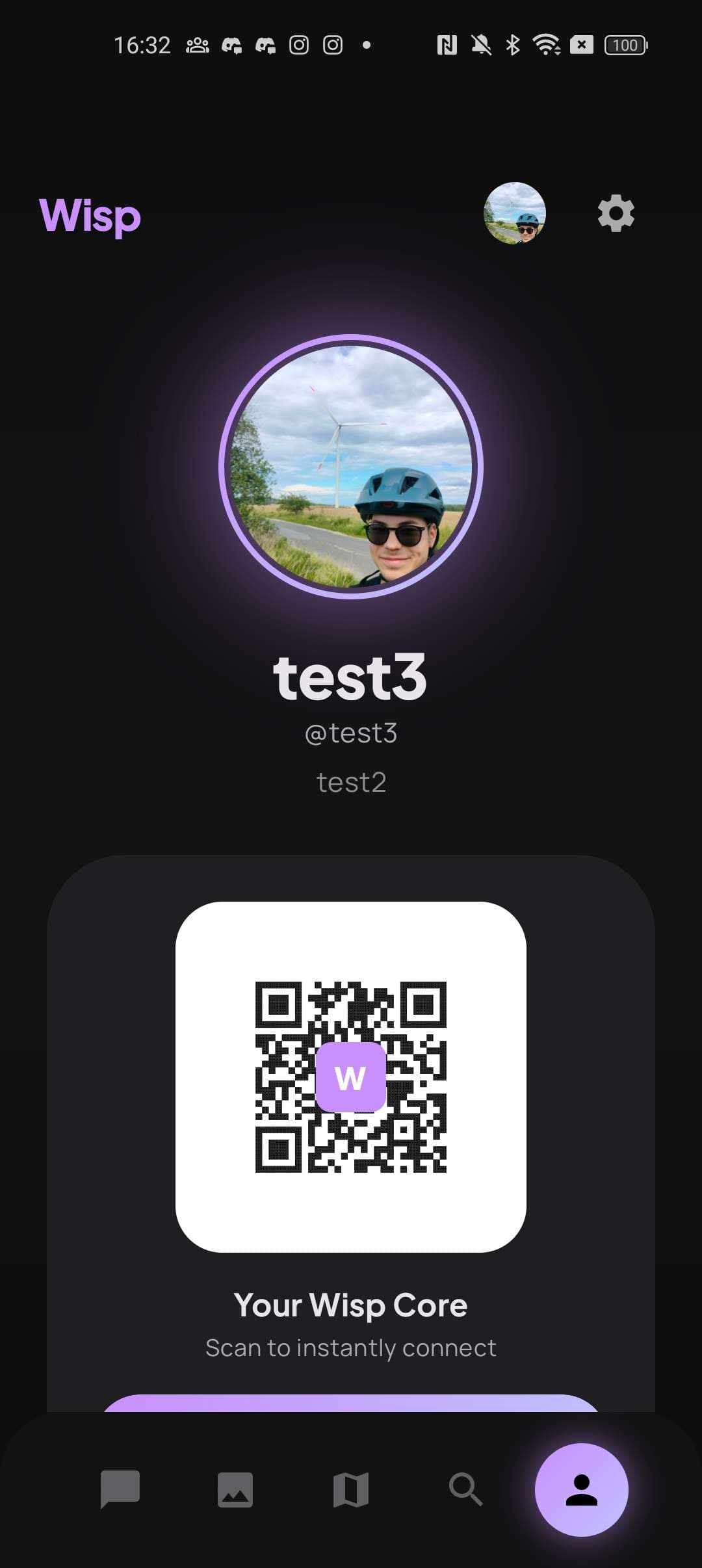
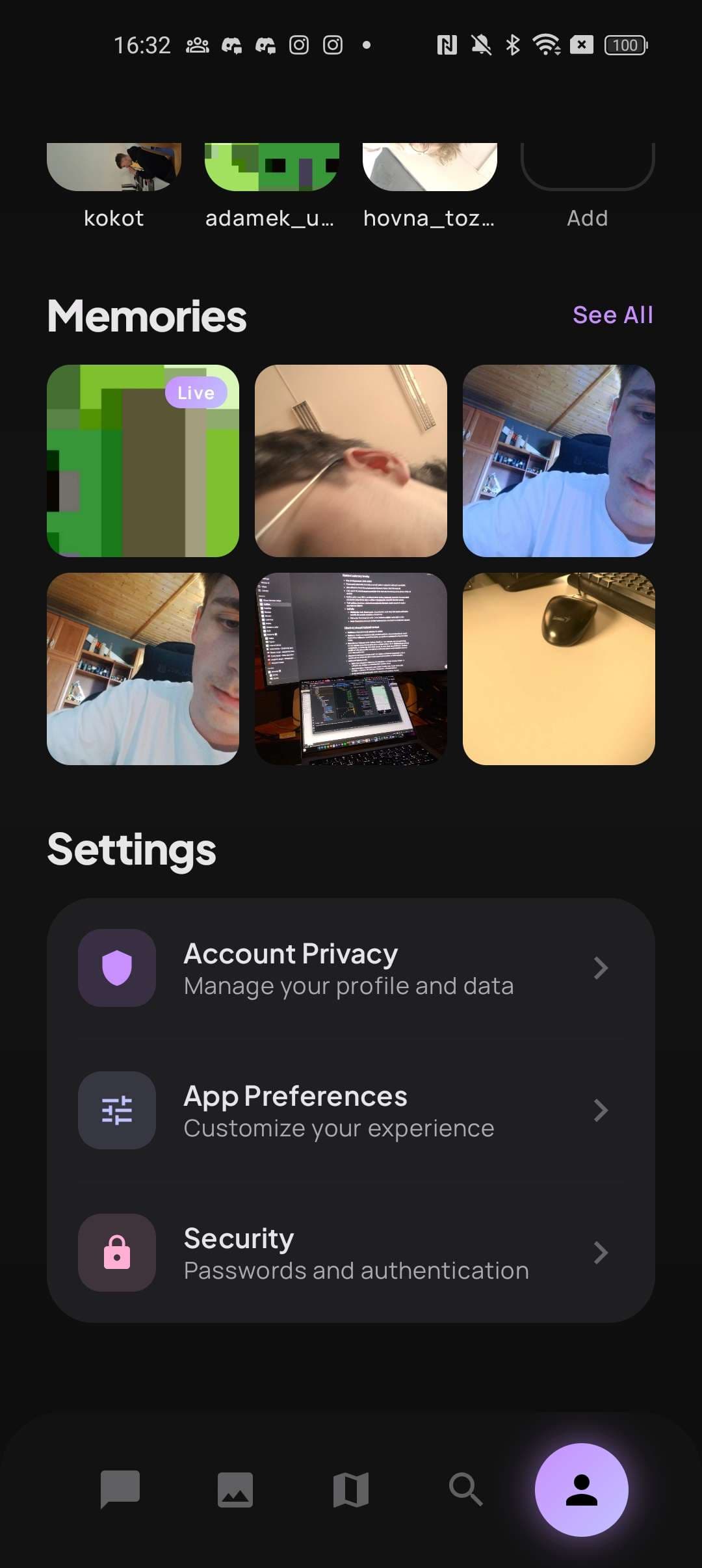
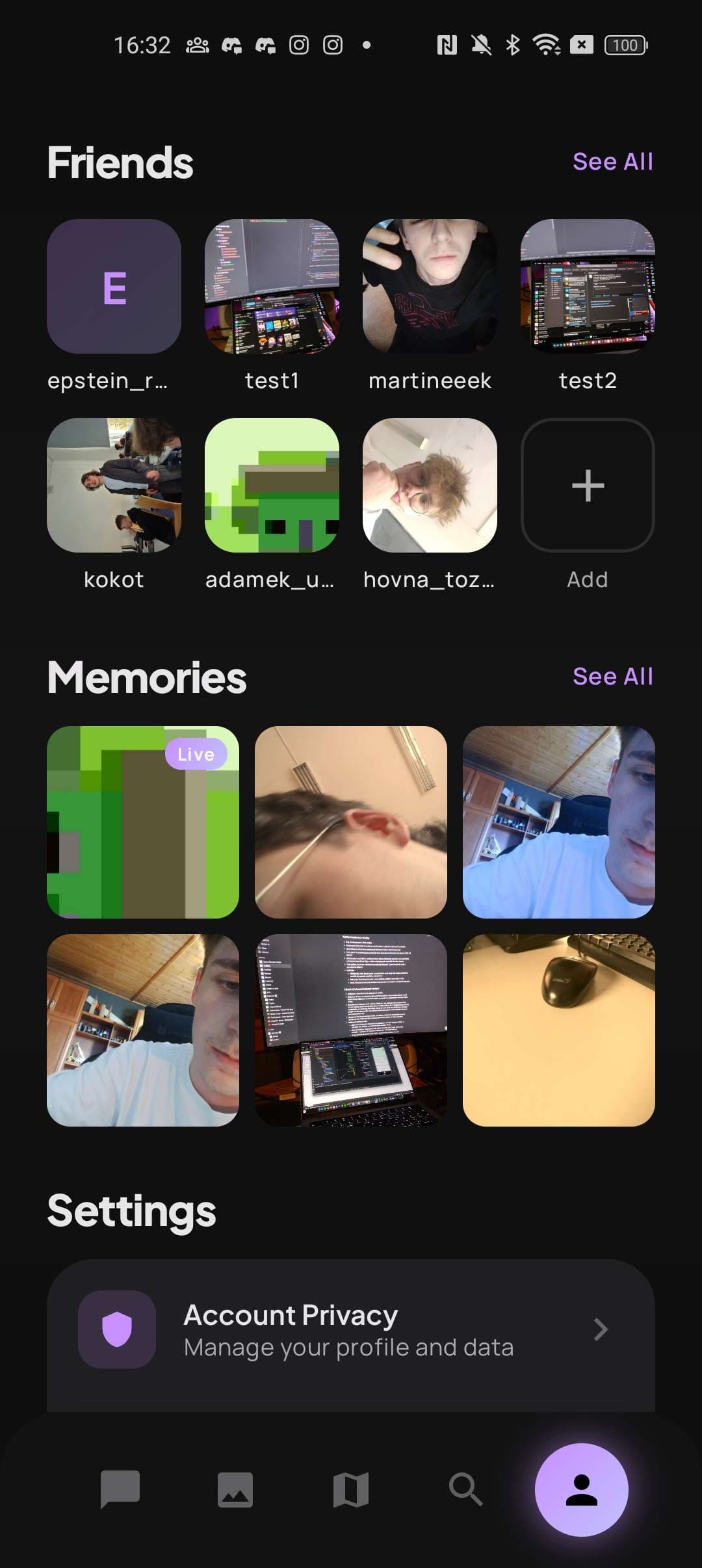
Profile
ProfileAvatar, display name, friend count
Memories
screenshot
MemoriesYour private archive of expired wisps
Settings
screenshot
SettingsNotifications, theme, data & logout